
Windows app
A transparent teleprompter, smart cursor and visible clicks to record while working in any program.
GRABALIA STUDIO BY JOTA
New: remove your reading mistakes using your scriptTutorials, courses and software demos ready in minutes, without hours of editing. Record, press Auto Polish and export.
Client
Amount
Drag to see the difference
Auto Polish improves the look, zoom and silences in one go. Then add subtitles from your voice and get your video ready to share.
NEW · RECORD WITH A SCRIPT
The teleprompter, the recorder and the editor live in the same app, so GrabaliA knows what you meant to say and what you actually said. If you stumble or repeat a line, it suggests cutting the failed attempt and keeping the good take.
Read the script. Stop recording. Clean up in one click.
What you said
What used to be four tools is now one
That is why it works: when everything lives in one place, the script you read while recording is the same one the editor uses afterwards to clean up your video. No exporting, no copying and pasting between apps, and no subscription for each tool.
SEE IT IN ACTION
Nine things that take a screen video from "you can see it" to "you can understand it".
The screen zooms in on its own to the button you press and marks the click. Whoever watches knows where to look.
Name
Password
An email, a password or a face: you blur it or turn it into a mosaic. So you can record without worry.
Surround your recording with a macOS, Windows or browser window, in light or dark.
Step 1
Subtitles are created on their own from your voice. And your text can appear letter by letter or with a fade.
Small
To one side
In the centre
Hidden
Small in a corner, large to one side, in the centre or hidden. It changes depending on the moment of the video.
Original
Warm
Cinema
Black and white
One click changes the colour of the whole video: vivid, warm, cinema or black and white.
It points out the long silences so you cut them with one click. The video gets to the point.
CHAPTERS
Optional: it works with your own AI key.
If you want, the AI reads your video and prepares the summary, the chapters and a title for YouTube.
TUTORIAL
How to create an invoice
Marta Ruiz
Billing manager
Ready-made templates with your logo and your colours. You write the text and that is it.
These are illustrations of how each thing works, not screenshots of the program.
TELEPROMPTER
Paste your script and read it right under the webcam while you record. You look at the camera, sound natural and never lose your place.
Included in every plan, the free one too
Create your first videos free, without a watermark. Choose Pro for longer videos and link sharing.
WHAT IT IS FOR
If you have ever said “wait, let me show you”, this is for you.
Instead of writing a long email, you record how it is done and send it.
One video per task. Whoever joins sees it when they need it.
A clear demo of your software or website, without nerves or retakes.
Show the exact step where someone gets stuck and cut repeated calls.
Record the screen with your voice, camera and subtitles, and export the class.
Turn “how I do it” into a video anyone can follow.
HOW IT WORKS
You choose what shows, you talk, you use the camera or the teleprompter. You can also upload an existing video.
You press Auto Polish, a button that improves the video for you, and review zooms, cursor, text, subtitles, silences and private data.
You export as video, GIF or image. On the free plan, you unlock the project to export clean.
ALL IN ONE PLACE
12 ready styles, some animated, highlighting the word you say.
Royalty-free background audio and built-in sounds to mark moments.
Arrows, text and shapes, and 22 transitions between clips.
Change typeface, colour and position of subtitles and text.
Put your logo on the video, built in, with no separate tool.
The whole control panel in both languages, one click away.
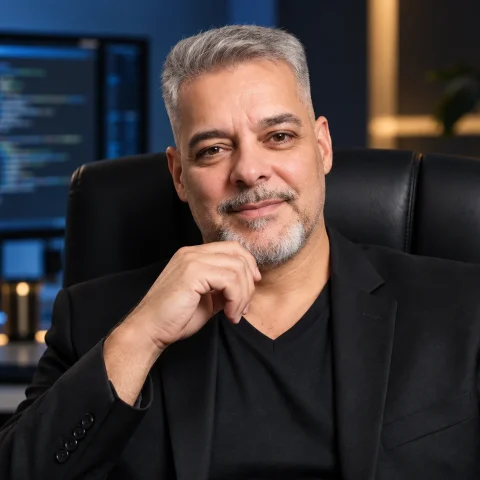
Record, polish, subtitle, read a script to camera, hide data and export for every network: I used to need several tools and several subscriptions. Now I do it all in one place, and now you can too.
Jota, creator of GrabaliA Studio
EVERYTHING IT INCLUDES
No jargon. Under each one you will see what it does in plain words.
WINDOWS APPStart in the browser. Go further on Windows. Discover the Mac Helper and the mobile QR teleprompter too.
RECORD
No odd settings. You choose what is shown, press record and talk.
You decide what is shown. The rest stays out.
You explain by talking and whatever plays on your computer is heard too.
Let people see your face while you explain. You choose the shape, size and place.
You start and stop with the keyboard (Alt+S and Alt+D), without looking for buttons.
With the Windows app, Ctrl+Shift+R records and stops even if another window is in front.
An image with background and frame, ready to paste into a document.
Upload it (MP4, WebM, MOV or MKV) and edit it just as if you had recorded it here.
EDIT
So the video gets to the point and nobody gets bored.
Delete the mistakes and join several recordings into a single video.
Compares what you said with your script and suggests cutting the false starts and repeated takes.
It points out long silences and possible filler words. You decide what to cut.
Speed up the slow parts or slow down the ones that are hard to follow.
Crop out distractions, drag your video and resize it to give it the space it deserves.
Smooth steps between one piece and the next, so there are no abrupt jumps.
Raise or lower the volume and add royalty-free music.
Put another video on top, with its sound, and place it wherever you want.
MAKE IT CLEAR
The hardest part of a tutorial is making the viewer know where to look. Here you point it out.
Zoom in on a button or a figure. You can create it yourself or let it appear on its own at every click.
A mark wherever you click, so people can see what you did.
The mouse looks larger and with a halo, without jitter.
Mark exactly what to look at or in what order to do it.
Blur or pixelate an email, a password or a face in a couple of clicks.
Titles and notices that come in letter by letter, with a fade or rising.
Ready-made openers and labels, with your logo and your colours.
LOOK PROFESSIONAL
No design skills needed. You choose and it looks good.
Colours, gradients or an image behind your screen.
Rounded corners, margin and shadow so it does not stick to the edge.
Surround your recording with a macOS, Windows or browser window.
Vivid, warm, cinema, black and white… one click changes the look of the whole video.
Your camera small, large, to one side or hidden, depending on the moment of the video.
Horizontal for YouTube, vertical for mobile or square for social networks.
SUBTITLES AND AI
Many people watch videos without audio. With subtitles, they still get it.
They are created on their own from what you say, on your own computer and without uploading your audio.
Change the text, the timing, the font and the colour. Export them as SRT or VTT.
Convert them to other languages (with a recent Chrome).
A summary with chapters, title and description for YouTube, or a corrected text. You use your own OpenAI, Claude or Gemini key.
SAVE AND EXPORT
So you lose nothing and get it out in whatever format you need.
If the browser closes or the power goes out, you get back what you had. You can also save and open projects.
Export as MP4 up to 4K, GIF or WebM. Or share a link with an optional password and expiry date.
BROWSER AND APP
Record, edit and share from your browser. With the desktop app, follow your script over other applications and make every click clear.
A transparent teleprompter, smart cursor and visible clicks to record while working in any program.
Record your screen and follow your script with a transparent teleprompter. Open the result in the same editor. Available in beta.
Record, edit and subtitle on your computer. To read your script on your phone, connect it via QR.
COMPARISON
Not every product is built for the same job. This comparison is about tutorials, courses, software demos and professional videos made fast.
| Criterion | GrabaliA | Screen Studio | Camtasia | Loom | Descript | Other screen recorders |
|---|---|---|---|---|---|---|
| Works on Windows | Yes | No (Mac only) | Yes | Yes | Yes | Yes |
| Works in the browser, nothing to install | Yes | No | No | Yes | Yes | Partial |
| Auto Polish: look, zoom and silences in one click | Yes | Partial (image only) | Partial | Partial (audio only) | Partial (audio and text) | No |
| Teleprompter on every plan, the free one too | Yes | Not stated | Not stated | Not stated | Yes (built in) | No |
| Removes repeated takes using your script as reference | Yes | Not stated | Not stated | Not stated | Partial (detects repeats, without comparing to your script) | No |
| Video and subtitles that never leave your computer | Yes | Partial (transcribes in the cloud) | Not stated | No (uploaded to its cloud) | Mixed | Partial (no subtitles) |
| AI with your own key: you pay the provider, no credits | Yes | Not stated | Not stated | Not stated | Not stated | No (no AI, or credits sold apart) |
| Pay for a single project, no subscription | Yes | No | No | No | No | No |
| Price | $79/year | $108/year | From $180/year | $239/year (with AI) | From $192/year ($24/month if you pay monthly) | Free, with a watermark or a time limit |
YOUR VIDEOS, ONLY YOURS
Record, edit and download videos on your computer. When you want to show them, share a link.
Subtitles are created on your computer, without sending your voice anywhere.
Artificial intelligence is optional and only works with your own key.
PRICING
Try it with limits, finish a single video, join for a month or stay for the year. With your own AI key: we do not charge credits or tokens.
Free
$0to try
Start creating. No watermark.
Project Pass
$5.99per video
Finish a professional video without subscribing.
Pro monthly
$9.99a month
Flexible entry, no commitment.
Pro annual
Most chosen$79a year
$6.58 a month: you save 34% compared with monthly.
ONLY 20 LICENCES
$79one-time payment
Pay once and GrabaliA Pro is yours for good: every feature, including the ones still to come. No subscription, no renewals.
When the 20 are gone, this offer disappears and does not come back.
Everything in Pro includes
Prices and charges in US dollars (USD). Monthly and annual Pro include the same features. Cancel any time from My account. Your projects and files stay yours.
FREQUENTLY ASKED QUESTIONS
Start in your browser. The Windows app adds a transparent teleprompter, smart cursor and visible clicks. The Mac Helper is available in beta, and your phone can be your teleprompter via QR.
You record and edit on your computer. A video is only uploaded when you choose to share it by link.
It depends on the plan: annual is paid once a year, monthly every month and the Project Pass once per video. There is also a free version with limits, and a one-time Founder offer while licences last.
Your projects and files stay yours: you can open them, recover them and export them in 720p or 1080p. Pro features are locked and new recordings are limited to 3 minutes.
On up to 2 devices. It is used on one at a time: if you open it on another, the previous one closes. From your account you can remove one and add another.
No. It is optional. If you want to use it, you connect your own key and only pay your provider for what you consume.
You sign in with your Google account or with your email and password. If you bought with a new email, you get a message to activate access; then you can choose your password from the Forgot your password link.
Write to us at grabaliastudio@iapacks.com.
In a few minutes you have a clear video, with subtitles, that explains itself.